
SharperLending's integration with FICO®'s Score Mortgage Simulator and Score Potential tools are now available in XOLX. Utilizing the FICO® Score Simulator and Score Potential tools creates a roadmap for clients to offer a wider array of loan options to their applicant(s). Through this feature, Providers, clients, and applicants alike have an opportunity for a better experience during the mortgage application and decisioning process. XOLX reduces the navigation time to run scoring simulations by conveniently offering access to FICO®'s tool directly within an order's file.
This guide explains how to enable the FICO® Score Mortgage Simulator and Score Potential options, plus how to use the simulation tool.
Content Includes:
- Enable FICO® Score Mortgage Simulator and Score Potential
- Generating the FICO® Score Simulator from XOLX
- Generating the FICO® Score Simulator from XpertOnline
- Generating the FICO® Score Simulator from the PDF
- FICO® Score Mortgage Simulator Tool
- FICO® Score Potential Output
- Ordering a FICO® Score Potential Plan
- FICO® Score Simulator Management Report
Enable FICO® Score Mortgage Simulator and Score Potential
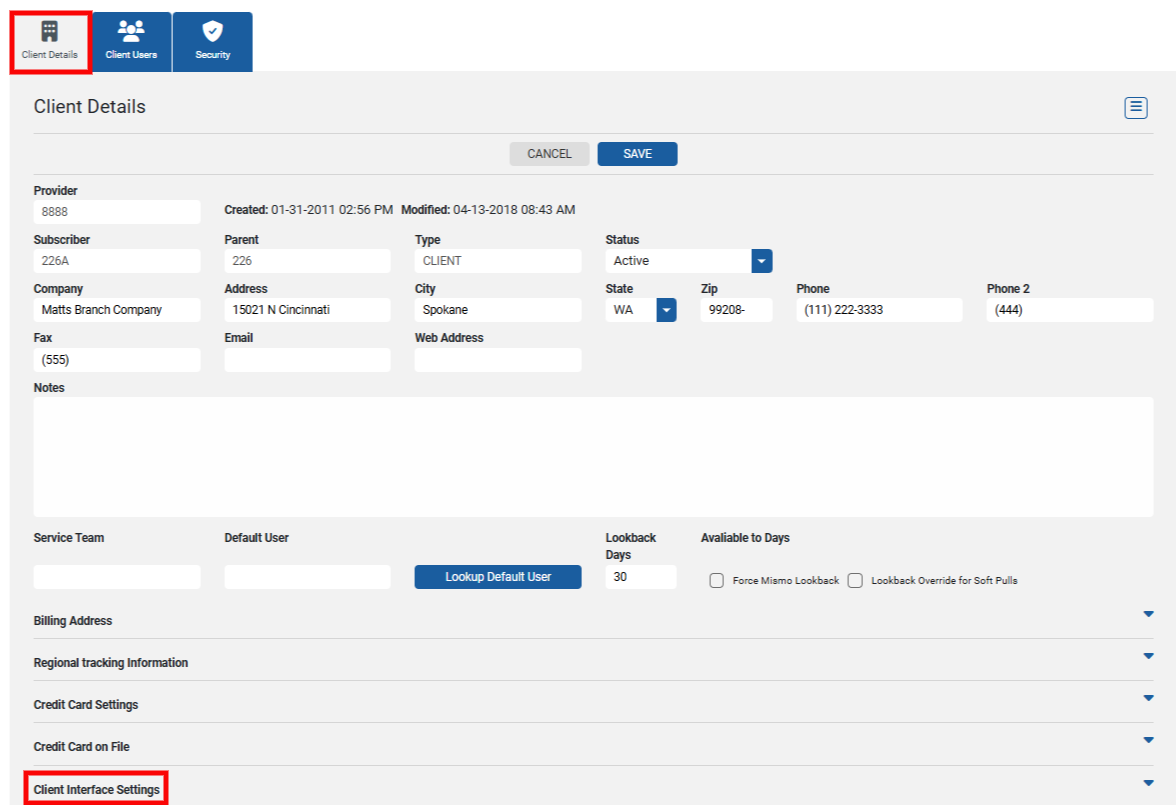
Enabling FICO®'s products must be done on a per client basis. To setup the options for clients, access the Setup option on the navigation menu and then choosing Clients. 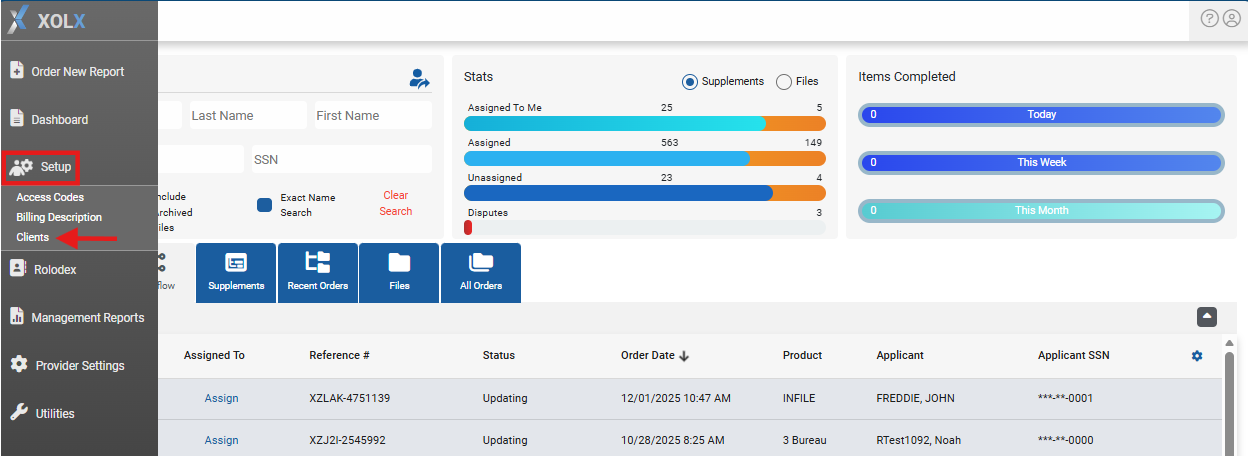 Search for the appropriate client to enable the product from the search list. From the Client Details tab, expand Client Interface Settings.
  Look for the Enable FICO® Products section. Select the box adjacent to FICO® Score Simulator to enable this option for the respective client and Save. When this setting is enabled, a nested FICO® Score Potential sub-setting will be available. NOTE: FICO® Score Simulator must be enabled for the FICO® Score Potential feature to become available.
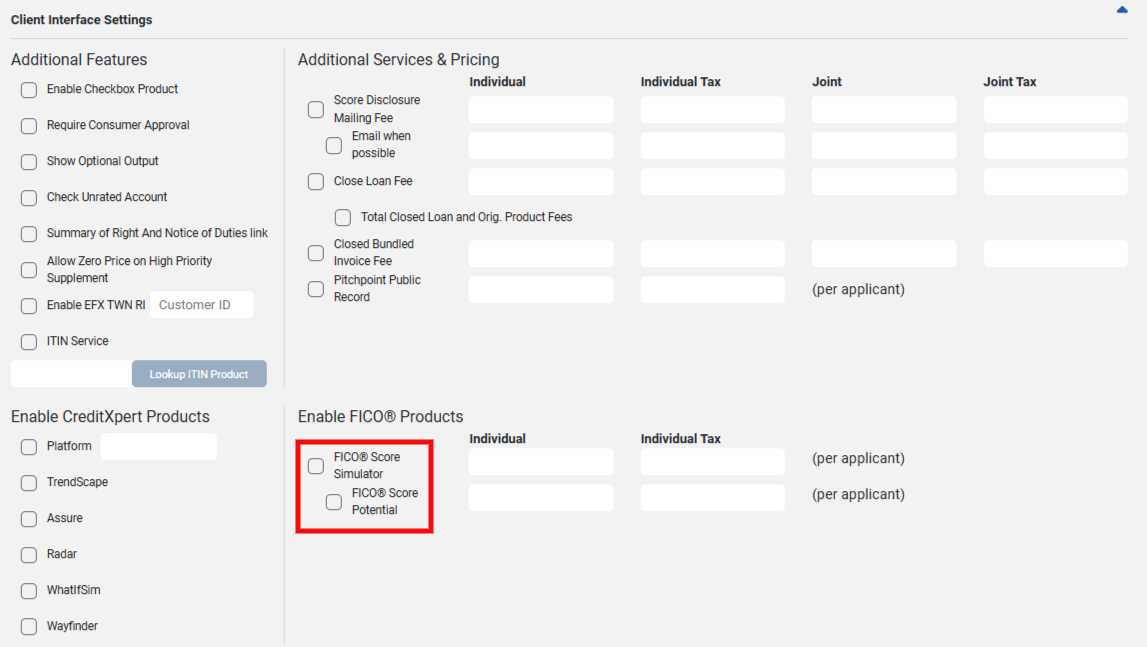
Providers can set a price for these services via the Individual and Individual Tax fields. NOTE: when Joint simulations are ordered, the value entered with be doubled.
Generating the FICO® Score Simulator from XOLX
The FICO® Mortgage Score Simulator can be generated directly from a file in XOLX. Access an order from a client who has the simulator feature enabled. From the navigation menu, select the FICO® Score Simulator option under the Actions section. 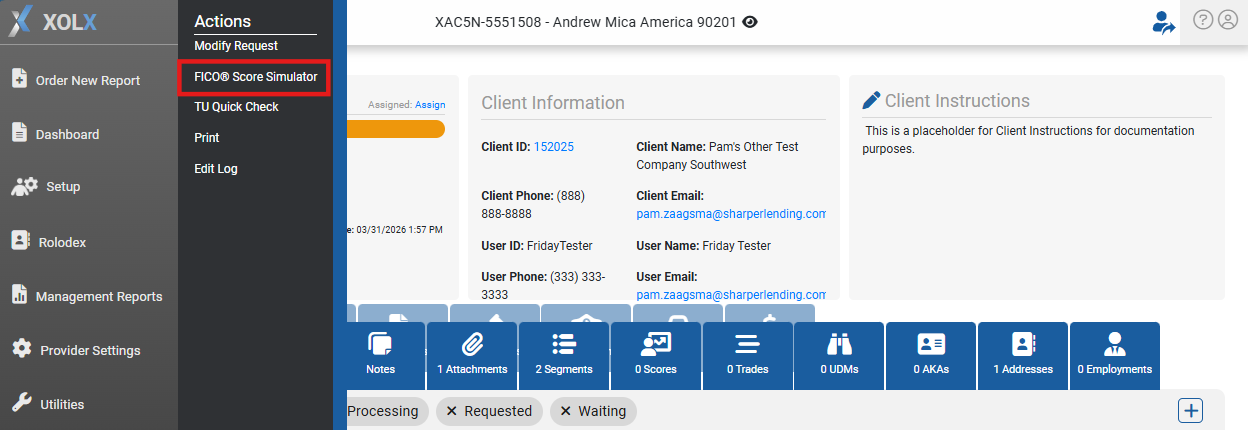 Borrowers eligible for simulation will be displayed on the FICO® Score Simulator page. Select FICO® Score Mortgage Simulator to launch to tool.
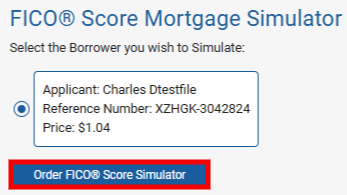
Users will be automatically directed to the FICO® Score Mortgage Simulator page, where various simulations can be generated on existing trades.
Generating the FICO® Score Simulator from XpertOnline
The FICO® Mortgage Score Simulator can be generated from the client-side, via XpertOnline. NOTE: the simulator tool will only be available to those clients that have the feature enabled. When viewing the file from XpertOnline, clients can select the FICO® Score Simulator link.
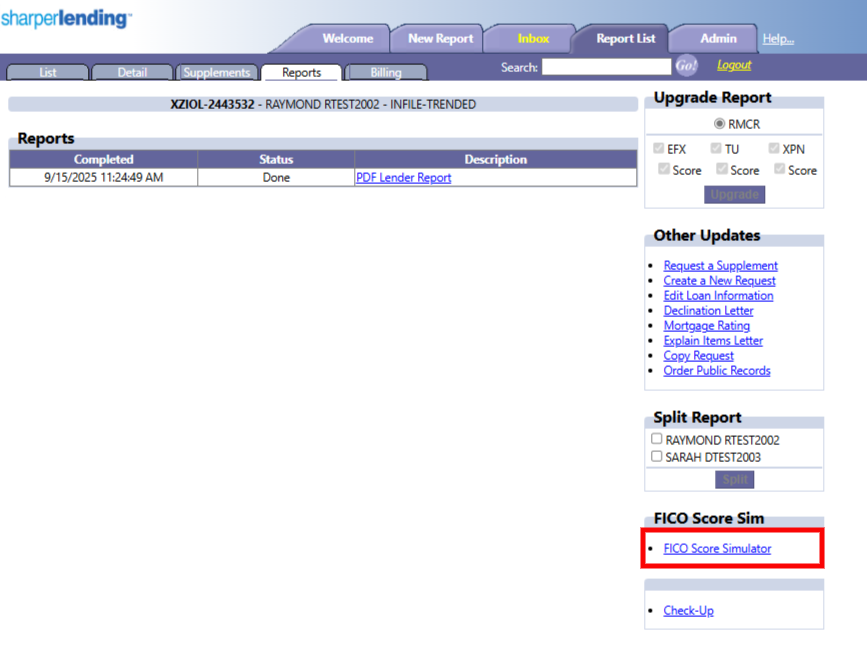
Generating the FICO® Score Simulator from the PDF
The FICO® Mortgage Score Simulator can be ordered directly from the PDF version of the credit report regardless of what LOS users are working from. Select the FICO® Simulator button, which will prompt the user to confirm opening the webpage to XpertOnline. 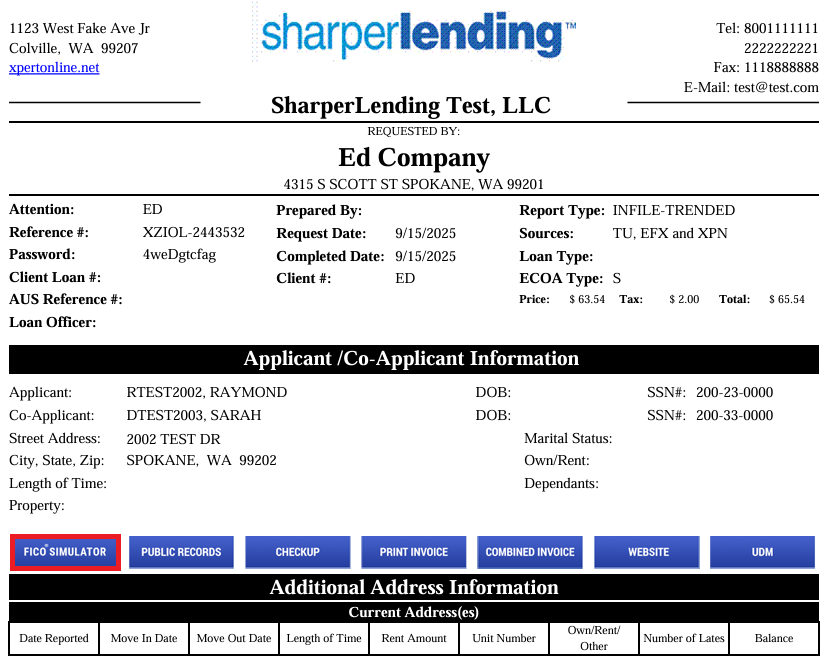 Login to XpertOnline with the appropriate credentials. Users will be directed to select the applicant to run the score simulator. Once selected, click Order FICO® Score Simulator.
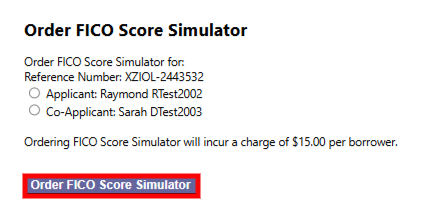
Users will automatically be directed to FICO®'s Score Mortgage Simulator dashboard.
FICO® Score Mortgage Simulator Tool
When users place the order for the FICO® Score Simulator, they will be automatically directed to FICO's page. From the main dashboard, current scores will be displayed with various trades listed. Below is an example of how the dashboard is organized. 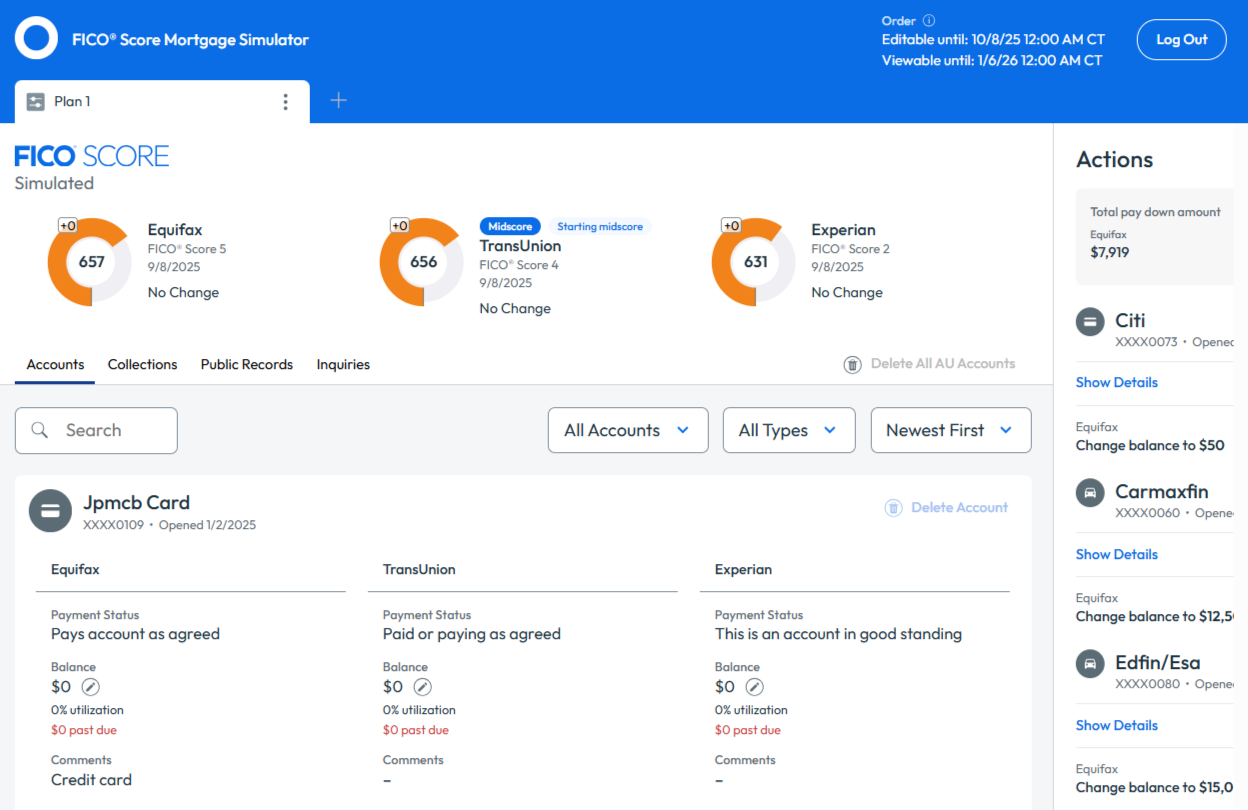
Users can submit pay downs on various trades, which will instantaneously simulate what the bureaus' scores could potentially reflect for the applicant. For inquiries regarding FICO's Score Mortgage Simulator, please contact ML_FICOScoreMortgageSimulator@fico.com.
FICO® Score Potential Output
Clients that are set up to utilize the FICO® Score Potential tool will see the applicant(s) scoring potential impact via the PDF Lender Report. When this feature is triggered, the potential score changes will be displayed prior to the overall credit report itself.
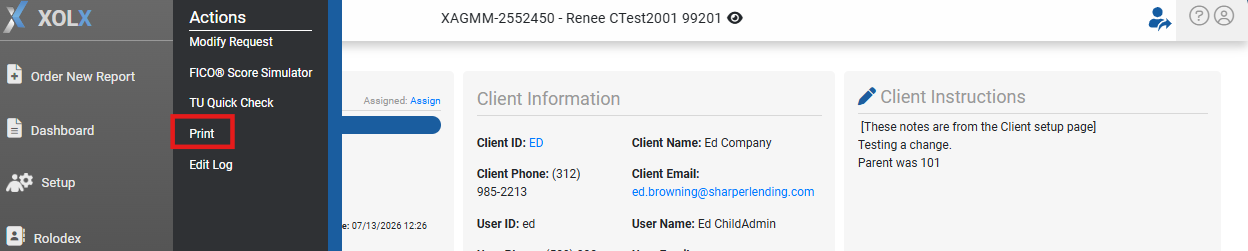
Within a file that has the FICO® Score Potential enabled, access the Actions menu, and select Print.
Open the preview of the PDF Lender Report. 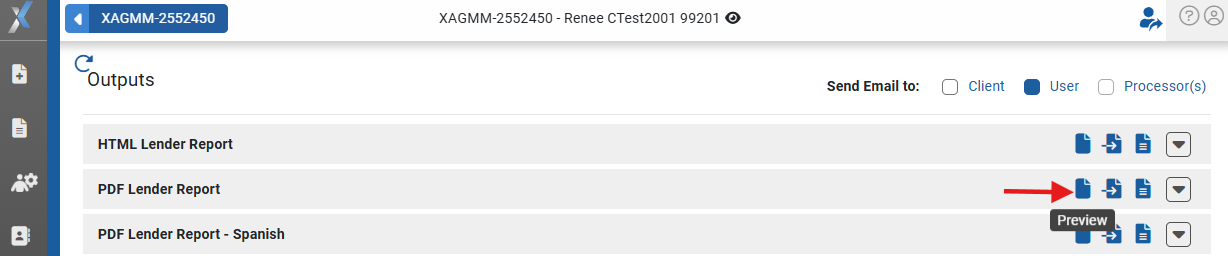
XOLX consolidates the FICO® Score Potential output directly within the credit report itself, ensuring all scoring considerations are present in one place. Users will encounter what the scoring potentials are per bureau. NOTE: if the file was ordered as an Individual report, scoring potentials will be present for the borrower alone. Each bureau will reflect the borrower's Current Score, then what the Simulated Score has the potential to be, automatically calculating the value difference. Below is an example of how to review this information. 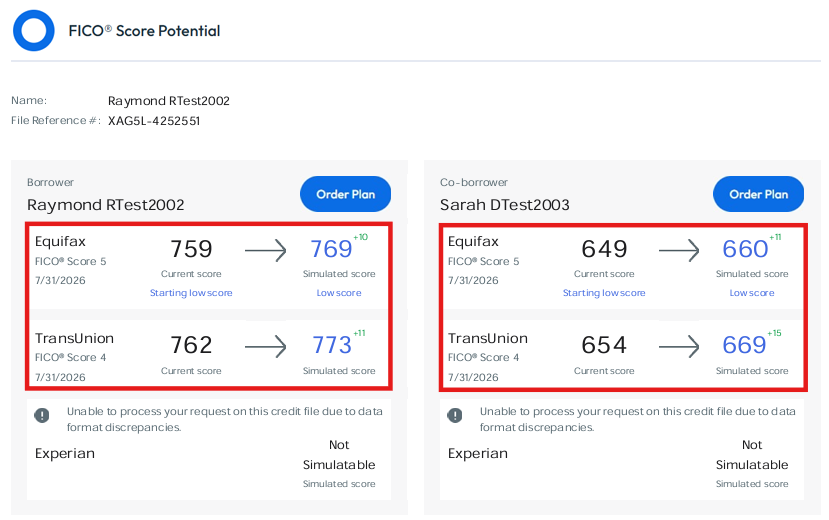
Based on the simulated scores, users can select Order Plan directly from the output itself. 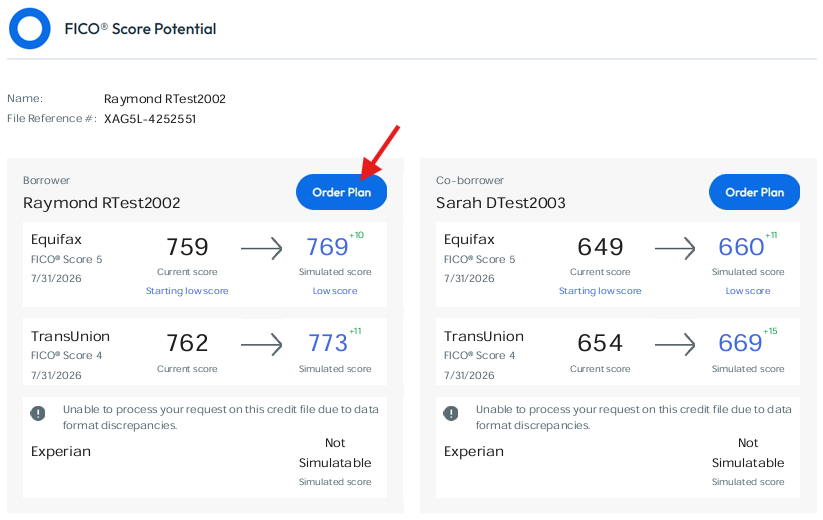
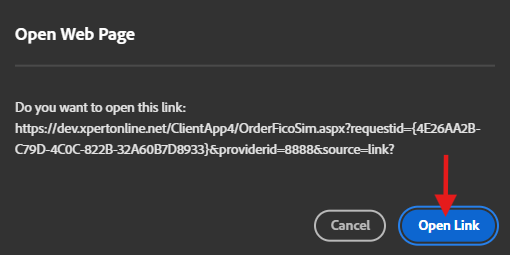
A prompt will be displayed notifying users they will be redirected to XpertOnline. Select Open Link to confirm the action.
Ordering a FICO® Score Potential Plan
Login to XpertOnline. Upon a successful login, users will be presented with the option to move forward with ordering a FICO® Score Mortgage Simulator for the applicant(s)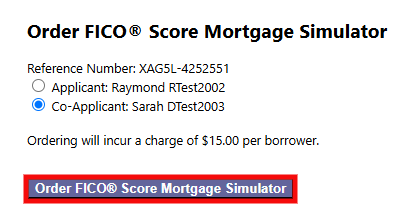
Once the scoring simulator has been requested for the selected applicant, users are directed to the FICO® Smart Plans page, which is tailored specifically for the applicant's credit information. Plans can be generated automatically, or a custom plan can be created.
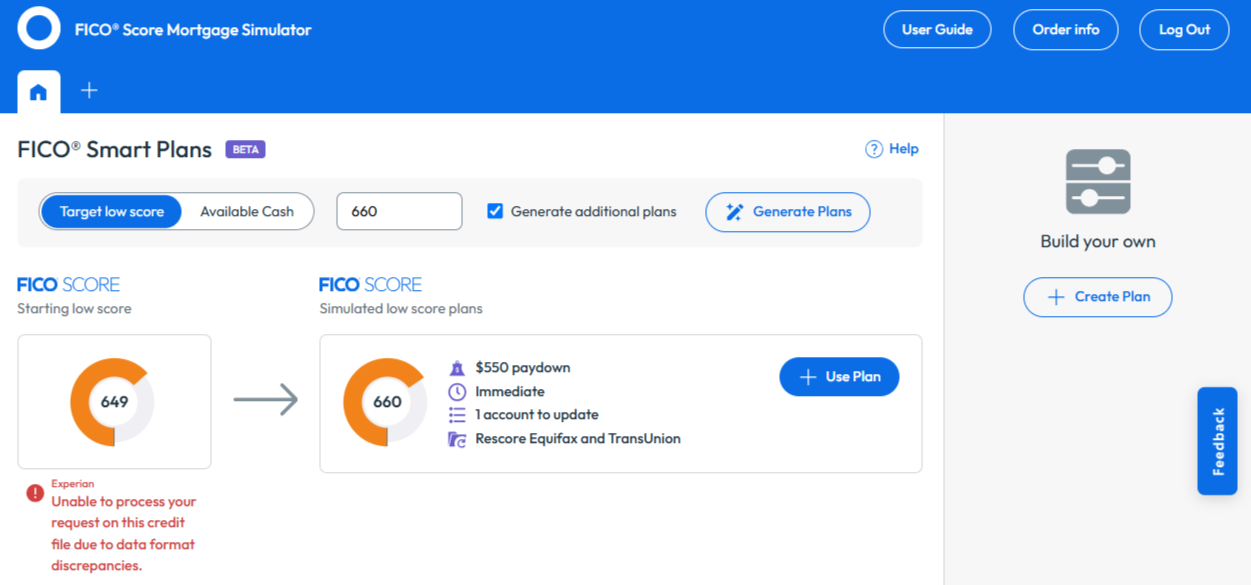
Should one of the generated simulated plans be the right course for the applicant(s), choose +Use Plan. 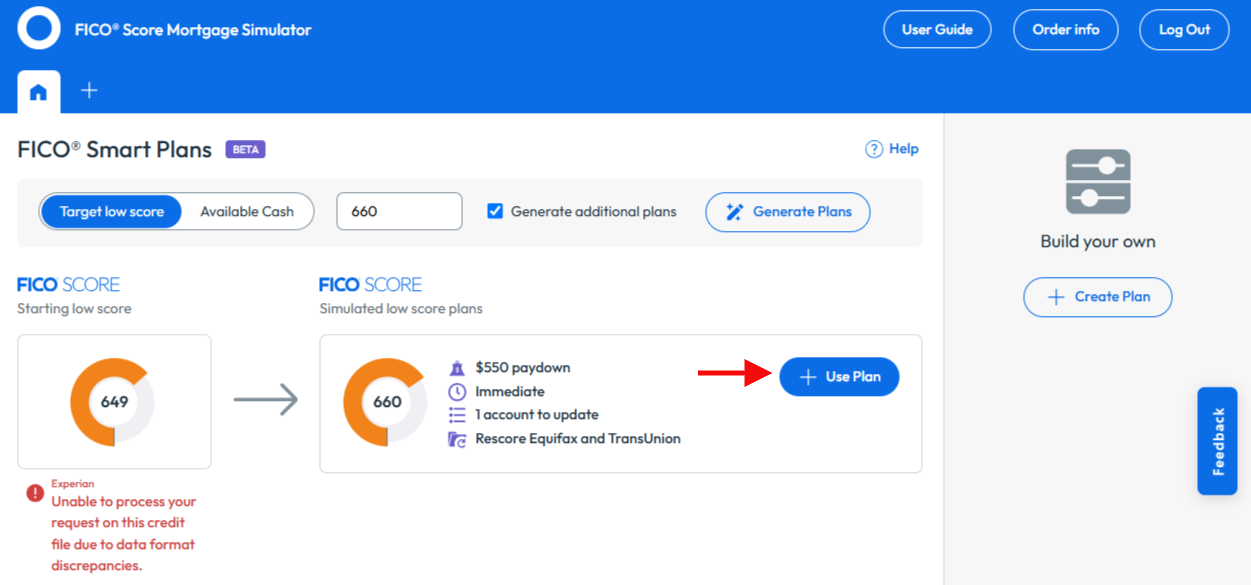
The user will be directed to the FICO® Score Mortgage Simulator page.
FICO® Score Simulator Management Report
The FICO® Score Simulator Management Report tracks any orders that have been placed by clients. To generate this report, access Management Reports from the navigation menu, then select the Additional Reports tab. From the dropdown, choose FICO® Simulator Activity. Results will be generated in a .CSV file.