
Providers can enable Equifax®’s The Work Number Report Indicator (TWN RI) to their clients to tangibly determine if a borrower and/or co-borrower are found within The Work Number's (TWN) databases. By enabling this feature, clients will see HIT or NO HIT result directly on the credit report. NOTE: Credentials issued by Equifax are required for this product offering to your clients. Please reach out to your Equifax representative to obtain these credentials.
Content Includes:
How to Enable EFX TWN RI
From Setup within the Navigation menu, select Clients. 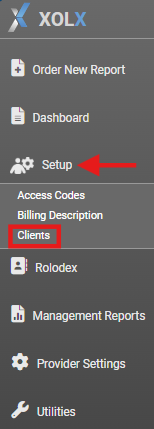
Search for a client you want to enable this setting for and click said client from the search results. From the Client Details screen, expand Client Interface Settings.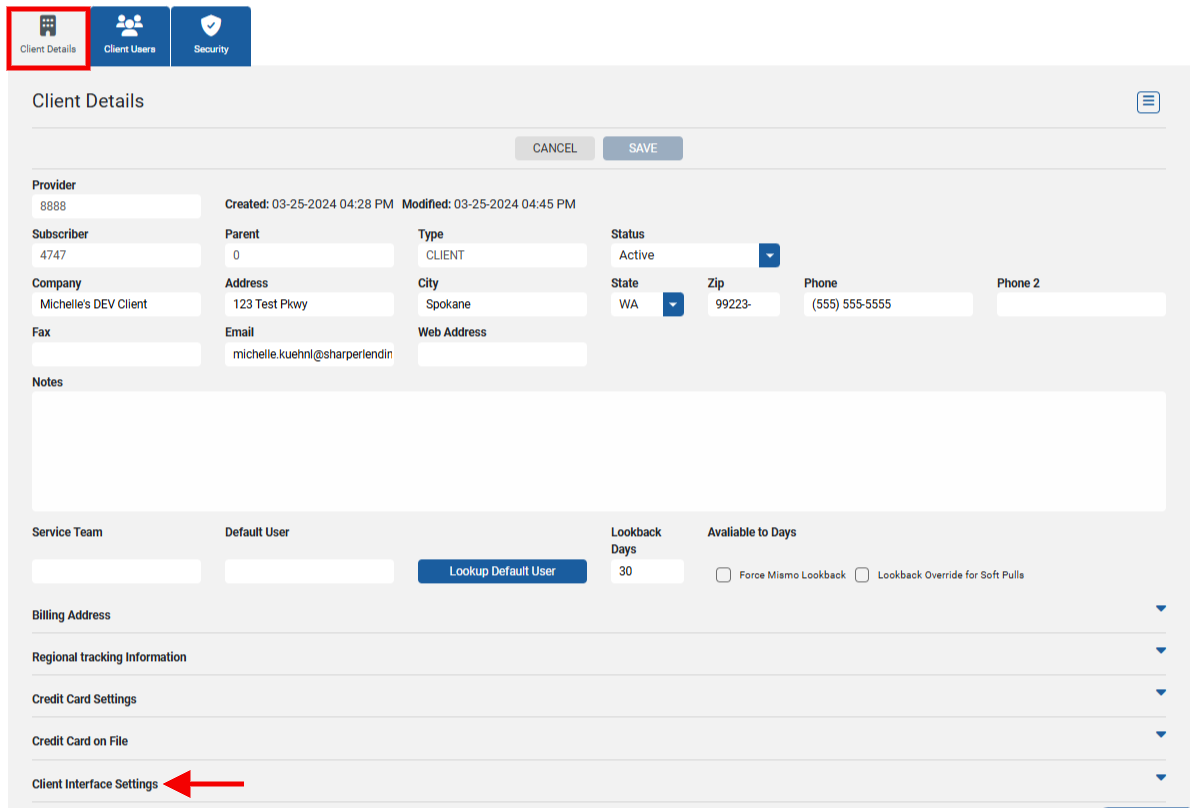
Under the Additional Features section, find Enable EFX TWN RI. 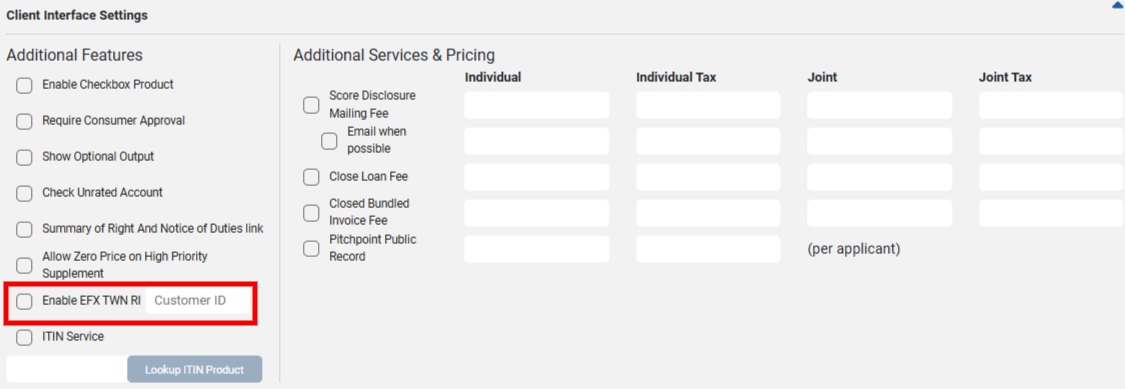
Select the box to enable the feature, then enter the Equifax issued Customer ID credentials. Save upon completion.
How the Report Indicator (TWN RI) is Applied
When the credit report is available, there will be a section on the credit report titled The Work Number Report Indicator. Below are examples of a HIT (i.e., a match in The Work Number's database) and NO HIT (i.e., a mismatch in The Work Number's database).
HIT 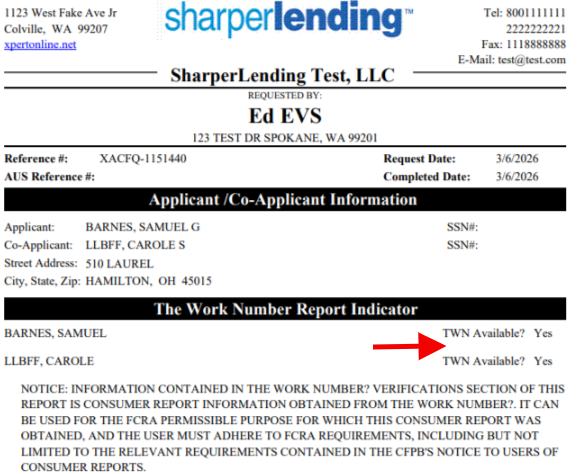
NO HIT 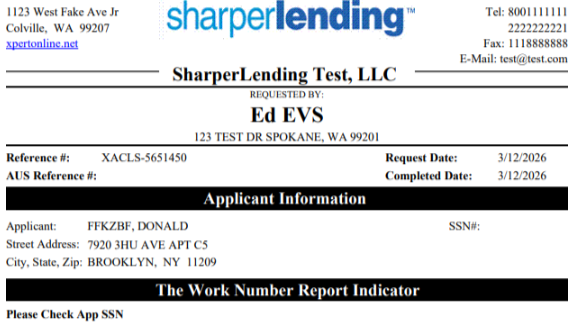
Based on the results, clients can easily determine if they should proceed with placing a The Work Number order or not.
Equifax® is a registered trademark of Equifax Inc. © 2026, Equifax Inc