
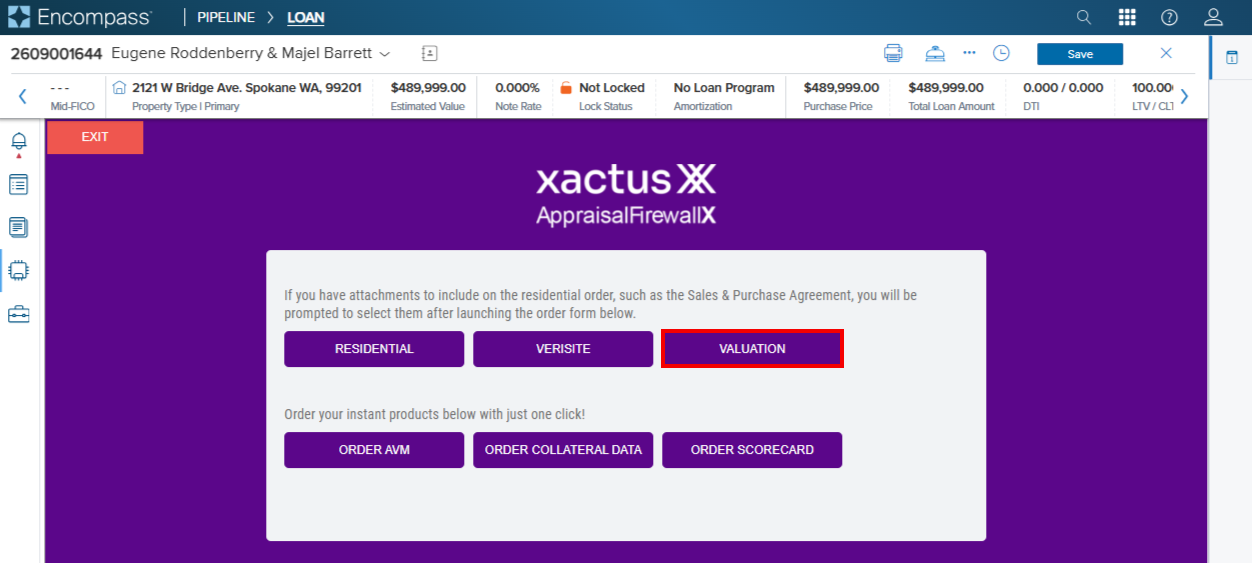
Once users launch Appraisal Firewall from the Order Service screen within Encompass, select Valuation from the product offerings screen.
If your organization has multiple divisions enabled for BPO ordering, users will be required to select the appropriate division on the New Order screen.
1. Select a division.
2. Verify all required fields have been supplied.
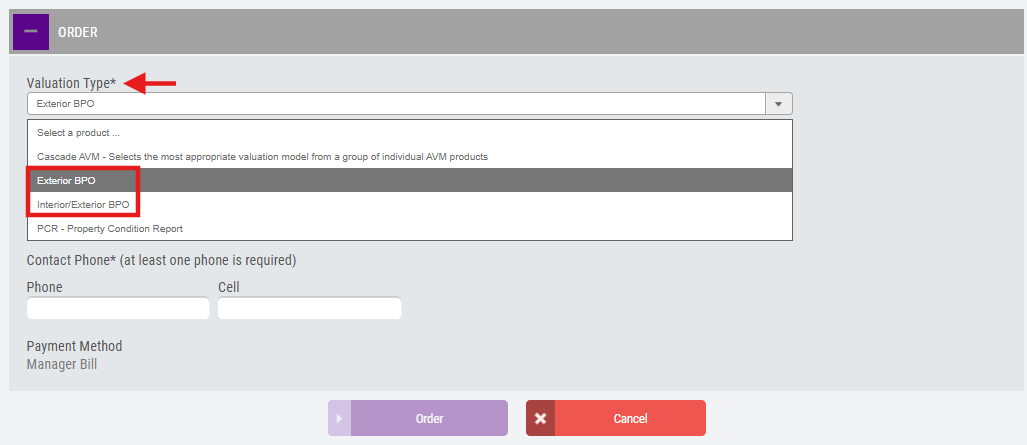
3. Choose the Exterior BPO or Interior/Exterior BPO under the Valuation Type dropdown menu within the Order section.
4. Enter the required entry contact information. Select Order once all sections are complete. 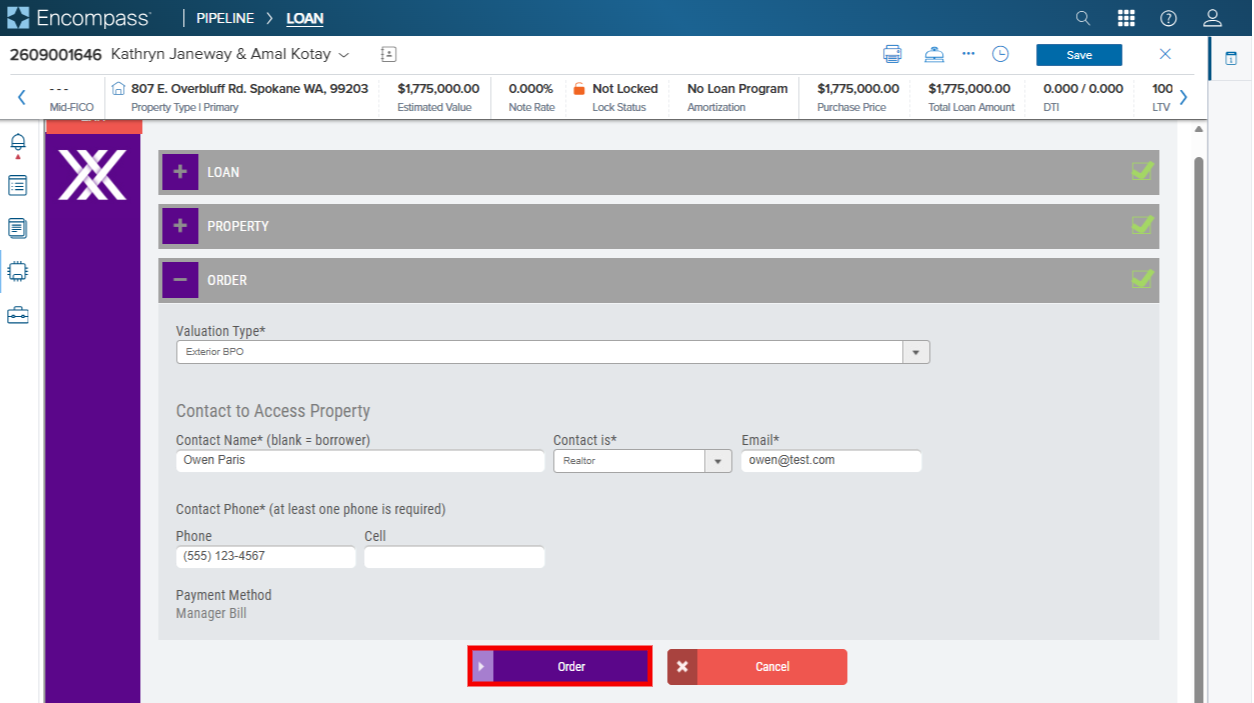
BPOs can take anywhere from 5-7 days to return. Users will be notified via Appraisal Firewall when the report is available. The report, once complete, can be found in the Documents Folders.
Encompass® is a registered trademark of ICE Mortgage Technology® Inc.